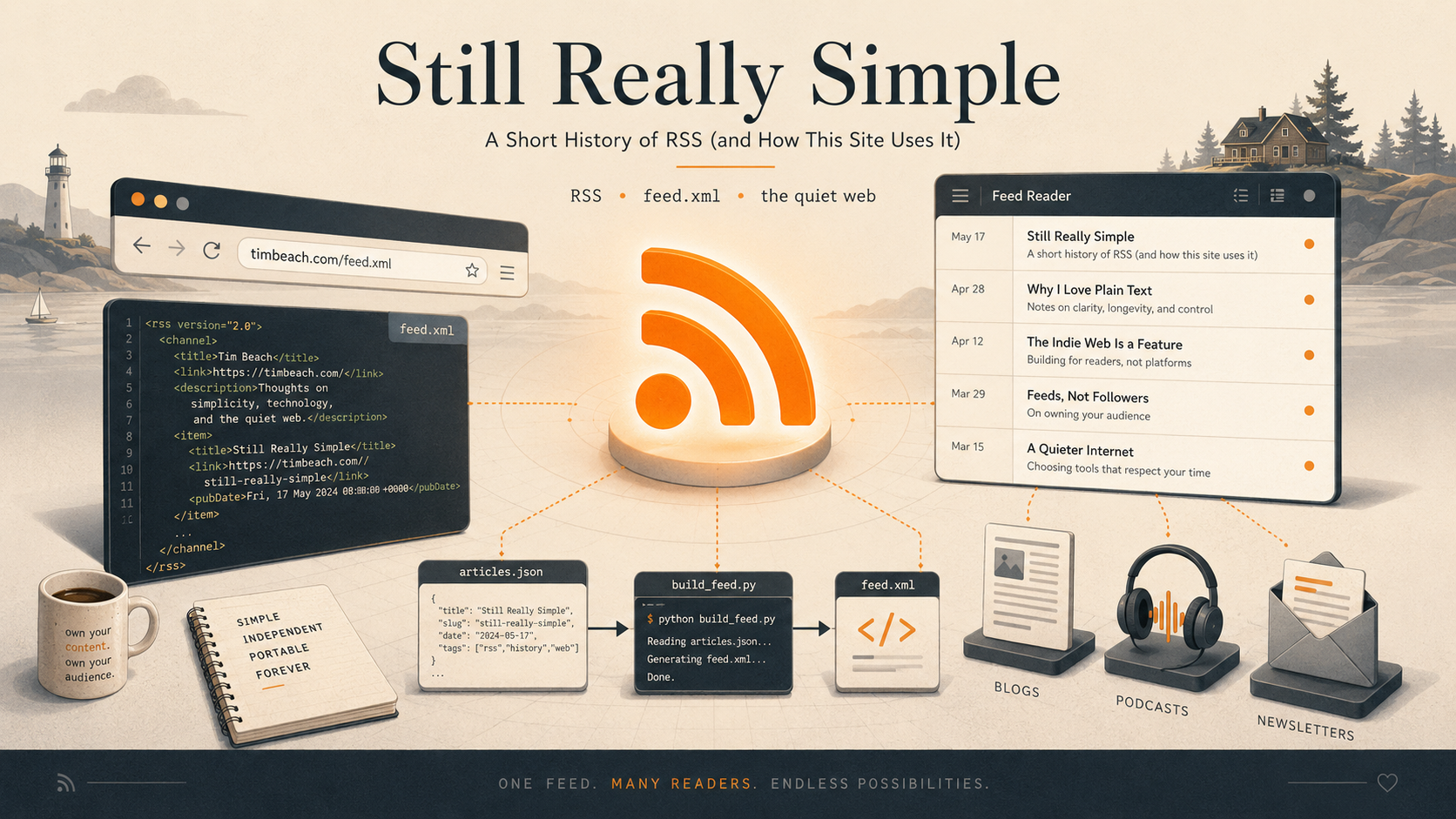
There's a small orange icon you don't see much anymore. For about a decade it lived in the corner of every browser's address bar, and then one day it quietly vanished. The technology behind it never did — you're using it right now if you listen to podcasts, and you can use it to read this site. No account, no app, no algorithm deciding what you get to see.
That technology is RSS. This is what it is, where it came from, and exactly how the feed for this website gets built.
What RSS actually is
RSS is a plain-text file that a website publishes and keeps up to date. It lists the site's recent content — each entry with a title, a link, a short description, and a date — in a structured format that software can read. That's the whole idea.
You point a program called a feed reader at the file's address. The reader checks the file every so often, notices when new entries appear, and shows them to you in a tidy, chronological list. Subscribe to a dozen sites and your reader becomes a single inbox for everything you care about — in the order it was published, with nothing injected and nothing hidden.
The crucial part is who's in charge. There's no middleman. The site publishes the file; your reader fetches it directly. No company sits between you and the writer deciding what's worth your attention. You subscribed, so you get everything.
A short, contentious history
RSS was born at Netscape in 1999 as a way to fill the "channels" on the My Netscape portal. The acronym has meant three different things over the years, which tells you something about how its history went: it started as RDF Site Summary, was softened to Rich Site Summary, and finally settled — thanks largely to Dave Winer of UserLand Software — as Really Simple Syndication.
That naming muddle was a symptom. Through the early 2000s, development splintered between camps with different technical philosophies, and the versions multiplied: 0.90, 0.91, 0.92, 1.0, and eventually RSS 2.0 in 2002, which froze the format and is what most feeds — including this one — still use today. The friction got bad enough that a rival format, Atom, was created in 2005 to do the same job more cleanly. Both still exist, readers support both, and the war is a museum piece now.
Then came the golden age. Google Reader launched in 2005 and, for a while, RSS was simply how the technical web read the technical web. And then, in 2013, Google shut Reader down. The headlines wrote themselves: RSS is dead.
It wasn't. It just got quiet. Every podcast on earth is distributed as an RSS feed — that's what a podcast is, underneath. Newsletters, news sites, and blogs still publish feeds. A healthy ecosystem of independent readers survived Reader's death and arguably got better for it. RSS didn't lose; it just stopped being fashionable, which on today's web is nearly a compliment.
Why it's still worth using
The pitch is the same as it was in 2005, only more so now that the alternative is so much worse:
- No algorithm. You see every post from everyone you subscribed to, newest first. Nothing is boosted, throttled, or reordered to keep you scrolling.
- No account, no tracking. Your reader fetches a file. The site doesn't know who subscribed, and there's no login standing between you and the words.
- It's yours and it's portable. Your subscription list lives in your reader and exports as a small file (called OPML) you can carry to any other reader. Nobody can lock you in.
- It's calm. No infinite scroll, no notifications begging for your time. You read what's new and you're done.
For a personal site like this one, RSS is the honest way to say "here's how to follow along" without asking anyone to make an account or trust a platform.
How the feed works on this site
Here's the part specific to this site. It is fully static — no database, no backend — so the feed is generated ahead of time and served as a plain file at:
https://timbeach.com/feed.xml
Everything here, including the feed, is built from a single source of truth: a file called articles.json that lists every article with its title, date, tags, and a one-sentence summary. The homepage reads it to draw the article cards. A small Python script named build_feed.py reads the very same file to build the feed.
When the script runs, it sorts every article by date, newest first, and writes one entry per article — each carrying the title, the publish date, a permanent link, and the summary as its description. Then it does something many feeds don't: it embeds the full text of each article, not just an excerpt, so a reader can show you the whole piece without ever visiting the site.
That last point matters. Many feeds give you a teaser and make you click through. This one hands over the complete article, rendered from the same markdown the website itself uses.
The build runs automatically as part of deploying the site. The deploy script validates everything, regenerates the feed from the current articles.json, and ships it alongside the rest of the static files. There's no live server assembling the feed on request — by the time you fetch it, it's already a finished document sitting on disk. Fast, cacheable, and impossible to break at read time.
So when I publish something new, the feed updates itself as a side effect of the same command that updates the site. No separate step, nothing to forget. The orange icon may be gone from your browser, but the file it pointed to is still here, still really simple, and still the best way to follow along.
Subscribe
Paste this into any feed reader:
https://timbeach.com/feed.xml
That's the whole setup. No account to make, nothing to install beyond a reader you like. Welcome to the quiet web.