🧶 Future Me Has Receipts: Building circleback
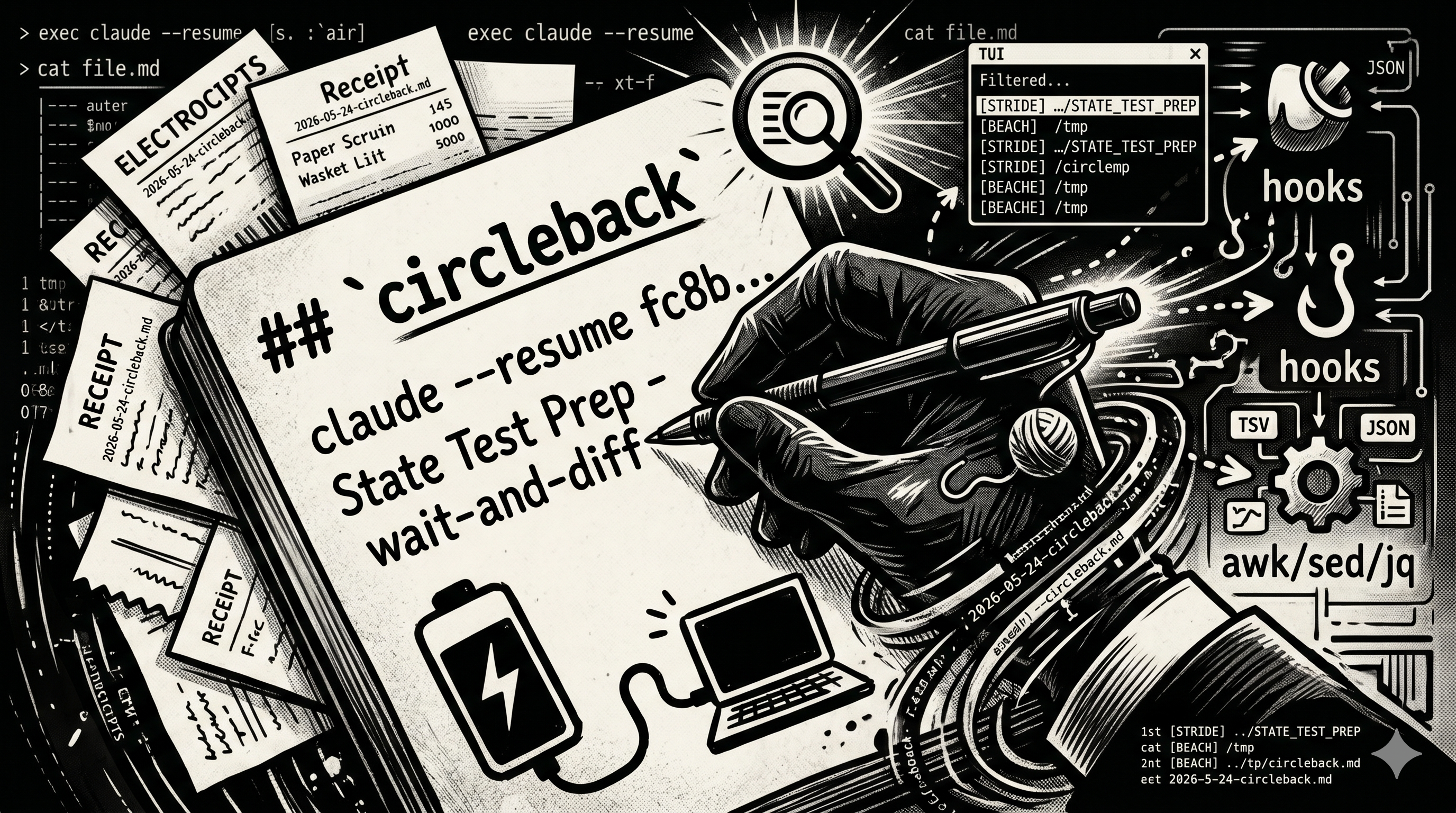
Here's what a normal week looks like for me:
- A Claude Code session debugging an LTI enrollment query at work (Postgres, SQL diffs, 70-message thread)
- Another one prepping state-test contractor diffs (Python, xlsx files, waiting on partners to deliver data)
- A third one building a Rust CLI for personal use (totally different stack, totally different brain mode)
- A fourth one mid-audit, with a half-written message to a coworker that I haven't sent yet
- A fifth one I started three weeks ago and forgot existed
These sessions are wildly unrelated. They live in different directories, touch different languages, follow different work streams. None of them know about each other. And they're all long-running — Claude Code holds context across days or weeks, which is amazing until you have a dozen of them and can't remember which is which.
The single hardest thing about working this way isn't building the stuff. It's finding my way back to each of these threads after a few hours away. After a reboot. After a long meeting. After two days on a completely different project. After (sometimes) the laptop dying mid-thought when its battery decides it's done for the afternoon.
So I built a thing. A small thing. Let me show you what it is, and along the way I'll point out some of the Linux/Unix gears that make it tick, because they're cool and you should know them.
🎯 What problem does it actually solve?
Claude Code already lets you claude --resume <session-id> to jump back into a session. Cool. But:
- The session IDs are UUIDs — those 36-character monstrosities like
fc8b09ad-e13b-42e7-b04b-fad59f47c97c. Try memorizing five of those at once. - Each session is scoped to its launch directory. You have to
cdto exactly the right place before resume works. Not the parent dir. Not a sibling. The exact dir. - The sessions live in
~/.claude/projects/<some-encoded-cwd>/<uuid>.jsonl, which is great for Claude Code internally but unreadable as a top-down view of "what am I working on." - If you don't write down what you were doing in each thread, future-you has no idea which session is which.
For a while I had a hand-curated markdown file at ~/CIRCLE_BACKS/CIRCLE-BACKS.md where I'd dump notes like:
Resume this session with:
claude --resume fc8b09ad-e13b-42e7-b04b-fad59f47c97c
/home/trashh_panda/code/STRIDE/3_SQL/.../STATE_TEST_PREP
State Test Prep is in wait-and-diff mode...
This was a start, but only sort of. To resume one I had to:
- Open the file
- Scan with my eyes
- Copy the UUID
cdto the right path- Paste the resume command
And — equally important — I had to remember to write the entry in the first place. If I got pulled into something else and didn't park the thread, that whole working context dissolved when I switched away. Same outcome if the laptop powered off before I wrote the note. The capture step depended on me being disciplined, every single time, which is not a thing humans are good at.
🔧 The three new pieces
Here's what I just built, in plain English:
circleback— type that in any terminal, get a fuzzy-search picker over all your saved sessions, hit Enter, and you're back. Hit Ctrl-D to archive ones you're done with.- A "SessionStart" hook — the millisecond a Claude session opens, a stub entry gets written. No more "oh wait, I forgot to log this thread." Every session shows up in the list automatically, and if the laptop dies before I can write a proper closing note, at least the entry is there, with a timestamp, telling future-me where to look.
- A "SessionEnd" hook — when the session closes cleanly, the hook reads what was last said and replaces the stub's "(in progress)" placeholder with an actual closing thought.
Three pieces, ~500 lines of bash total, zero new dependencies. Let me walk through the technologies.
✨ fzf: the hero of every good terminal workflow
If you don't know fzf yet, stop reading and sudo pacman -S fzf right now. I'll wait.
fzf is a fuzzy finder. You pipe it a list of strings, it pops up an interactive picker with type-ahead matching:
echo -e "alpha\nbeta\ngamma" | fzf
That's it. Three lines, a beautiful TUI picker. fzf is the most-loved kind of Unix tool: it does one thing, it accepts text on stdin, and it composes with literally anything.
For circleback, I:
- Parse the markdown file into one display line per entry
- Pipe those lines to fzf with
--multi(so I can mark several at once withTab) - Bind
Ctrl-Dto "archive marked",Ctrl-Eto "open in $EDITOR" - On
Enter, the scriptexec claude --resume <id>s from the entry's directory
That exec is doing real work — it replaces the shell process with claude, so when you exit Claude you're back at your original prompt, no nested shell. The Unix way.
🪝 Hooks: how Claude Code hands off control
Claude Code (the CLI) has a thing called hooks. You can wire little scripts to fire at lifecycle events like SessionStart, SessionEnd, PreCompact, PreToolUse. You configure them in ~/.claude/settings.json:
"hooks": {
  "SessionStart": [
    { "hooks": [{ "type": "command", "command": "$HOME/.claude/hooks/circleback-session-start.sh" }] }
  ],
  "SessionEnd": [
    { "hooks": [{ "type": "command", "command": "$HOME/.claude/hooks/circleback-session-finish.sh" }] }
  ],
  "PreCompact": [
    { "hooks": [{ "type": "command", "command": "$HOME/.claude/hooks/circleback-session-finish.sh" }] }
  ]
}
When the event fires, Claude Code pipes a small JSON payload to your script's standard input:
{"session_id":"70cbfbb4-c59e-40d0-a5c2-85b3764b405b","source":"startup"}
So in my hook, the first line is:
sid=$(jq -r '.session_id // empty')
The // empty is jq-speak for "if the field is missing, give me an empty string instead of null". Defensive coding.
🛠️ awk, sed, jq: the old reliable trio
Big chunks of this codebase are awk pipelines. Why? Because the entries in CIRCLE-BACKS.md are structured text — four lines per entry, blank lines as separators — and awk is built for exactly this.
Here's the heart of the parser (simplified):
/^## .+\/$/ { section = $0; sub(/^## /,"",section); sub(/\/$/,"",section); next }
/^[[:space:]]*$/ {
  if (acc_n == 4 && acc[1] == "Resume this session with:") {
    # Emit a TSV record
    printf "%s\t%s\t%s\t%s\t%d\t%d\n", section, sid, cwd, thought, start, end
  }
  acc_n = 0; next
}
{ if (acc_n == 0) start = NR; acc_n++; acc[acc_n] = $0 }
awk processes one line at a time. When it sees a blank line, it checks whether the four-line accumulator looks like a valid entry and emits a tab-separated record if so. When it sees a section header like ## WORK/, it captures whatever name follows ## — the parser doesn't hardcode any section names, which is what lets you define your own.
The output is one line per entry, fields separated by tabs:
WORK<TAB>aaaaaaaa-...<TAB>/path<TAB>thought<TAB>3<TAB>6
That's the internal format of the picker. Why TSV? Because tabs basically never appear in your prose, so they make a perfect delimiter that bash can IFS=$'\t' read -r directly.
jq does the same job for JSON — it's the awk of structured data. And sed shows up for surgical text edits, like deleting exactly lines 3-6 from a file:
sed -i "3,6d" file.md
🧪 TDD caught real bugs
I wrote this whole thing test-first. ~110 tests, plain bash, no framework. (I considered bats-core but it would've required sudo, and the surface area is small enough that hand-rolled assertions are fine.)
Two real bugs the tests caught:
Bug 1: sort -r quietly doesn't reverse
In my archive function I needed to delete multiple line ranges from the file, processing them bottom-up so earlier deletions don't shift later line numbers. I wrote:
sort -k1,1n -r
Reading that, you'd think: "sort by column 1, numeric, reversed." Nope. The -r flag wasn't being applied because of how it interacts with -k. The correct form is:
sort -k1,1nr
Bake the r into the key spec. The test for "archive multiple ranges" failed loudly and I caught it before shipping.
Bug 2: the missing blank line
When the SessionStart hook inserted the very first BEACH entry into a freshly-skeletoned file, the result looked like this:
## BEACH/
Resume this session with:    ← no blank line between header and entry
claude --resume ...
The awk script was eating the blank line that should have lived between the section header and the first entry. Fixed by always emitting one — regardless of whether the section was previously empty.
The point: TDD is not about ceremony, it's about catching the dumb stuff before your hooks start running on your real workflow at 9am Monday.
🏷️ Friendly names, stable UUIDs
You can rename a Claude session (/rename my-cool-name), and circleback picks that up automatically: the picker shows the friendly name as the row label instead of a UUID like c31187ad-…. It reads the name live from the session log every time you open the picker, so it's always current.
Under the hood, though, the entry in my notes file still stores the UUID, not the name — on purpose:
- The UUID is globally unique and never changes: a rock-solid anchor for resuming.
- Reading the name live means a re-rename just shows up next launch. Nothing to keep in sync, nothing to drift or corrupt.
- Two sessions could end up sharing a name; a collision can never break resume, because the file always holds the unique UUID underneath.
Friendly name on the surface, stable ID underneath.
(Confession: I first convinced myself Claude Code didn't persist session names at all, and built a lesser version around that wrong assumption. It does — the name lands in the session log the instant you /rename. Filed under "a grep that comes up empty is a fact about your search, not about reality.")
🎬 What it looks like in action
$ circleback

[STRIDE] …/STATE_TEST_PREP — wait-and-diff mode, LM xlsx incoming
[STRIDE] ~/code/STRIDE/1_APPS — SBOP-7011 audit re-run done, draft to Ernie
[STRIDE] …/2026-05-12_Tue — arcade-db-query skill round-tripped
[auto][BEACH] /tmp — Goodbye.
Arrow keys to scroll. Right pane shows full preview (session ID, cwd, status, summary, full closing thought). Enter resumes. Tab marks. Ctrl-D archives. Esc quits.
Test it yourself:
# Start a throwaway session
cd /tmp && claude
# Type "say goodbye"
# /exit
# Check the file
cat ~/CIRCLE_BACKS/CIRCLE-BACKS.md
# Run the picker
circleback
The /tmp entry should be there as [auto][BEACH] /tmp — Goodbye. Mark it with Tab, Ctrl-D, type y, and it gets archived to CIRCLE-BACKS-ARCHIVE.md.
📅 The daily rollup
Once every session was getting captured automatically, a second use fell out almost for free: what did I actually do today, across all these unrelated projects?
So circleback now keeps a per-day file — ~/CIRCLE_BACKS/daily/2026-05-27_SUMMARY.md — with two regions that never step on each other:
## Sessions (auto)— one line per session that ran that day, written by the very same SessionEnd/PreCompact hook that fills in closing thoughts. Section tag, directory, closing thought, and the resume command. Zero effort; it's just there by evening.## Digest— prose, written only when I ask for it. I say "update the daily summary" and a small skill reads the day's session lines (and each session's own STATUS doc) and writes a skimmable, cross-project what-mattered-today. Standup notes, or the seed of an article like this one.
The hook owns the mechanical spine; the skill owns the prose. They share a file but not a region, so neither clobbers the other.
There's also a no-Claude accessor, so I never type the dated path:
circleback daily              # open today's summary in $EDITOR
circleback daily 2026-05-26   # a specific day
circleback daily --list       # which days have summaries
circleback daily --rebuild    # regenerate today's auto spine from the master list
--rebuild is the safety net: the auto region is derived data, so if it ever drifts, you regenerate it from CIRCLE-BACKS.md — without touching your prose digest.
🪧 The nudge that made me write this
Here's the part that closed the loop. I added one more hook — separate from circleback, living in my ~/.claude — on Claude Code's UserPromptSubmit event (it fires on every prompt and can inject context into that turn). After the fourth prompt of a session (so quick lookups are spared), exactly once, it plants a standing instruction: at the next natural stopping point, ask whether this work is worth showing people publicly.
Three answers: draft it now (→ my publish-article skill), park it (→ circle-back), or skip. It's a habit enforced by a turn counter and a marker file, not by willpower. Resume the session later and it won't re-ask — the marker is keyed by session id.
This article is what "draft it now" looks like.
🧠 The meta-point
This whole thing is bash, awk, sed, jq, fzf, and one config-file edit. No new language, no framework, no daemon, nothing to compile. The total install footprint is:
- One executable script (
~/.local/bin/circleback) - Two hook scripts (
~/.claude/hooks/circleback-session-*.sh) - A few helper libraries (
lib/parse.sh,lib/config.sh,lib/enrich.sh,lib/archive.sh,lib/daily.sh) - One small config file (
~/.config/circleback/config) - One additive edit to
~/.claude/settings.json
That's it. The whole thing is composable, debuggable, scriptable, and small enough to read top-to-bottom in an afternoon.
Linux gives you a stupid number of tiny, sharp tools. The trick is recognizing when you can compose them into something useful instead of reaching for a heavy framework. Every shell pipeline you write is a tiny essay in this style.
I've got a dozen Claude Code threads running across as many projects right now, and for the first time it feels like that's a feature instead of a liability. Future-me has receipts.
📬 Want to try it?
circleback is built to be installed by anyone — config-driven sections, an install.sh that checks your dependencies, walks you through your sections (work / personal / research / whatever, or one flat list), symlinks the binary, and wires the Claude Code hooks into your settings.json (backing it up first, safe to re-run). uninstall.sh reverses all of it and leaves your data alone.
The repo's private for now — the installer touches your ~/.claude/settings.json, so I want it boringly reliable on a few machines that aren't mine before I point the whole internet at it. If you'd like early access to kick the tires, email me at beachtimothyd@gmail.com and I'll add you. It's Linux-first (built on Aegix) and wants bash, fzf, jq, and the claude CLI.
When it goes public I'll update this article with the link.
Built alongside Claude itself, using its superpowers brainstorm → spec → plan → TDD workflow — ~110 passing bash tests at last count. Email me if you want early access. Future me has receipts.