There is an old line about operating systems as vehicles. A Mac is a sleek sports car: beautiful, expensive, and you are not allowed to open the hood. Windows is the family sedan, practical and everywhere and full of things you did not ask for. And Linux is a tank. Ugly, loud, absurdly overbuilt, and it will go absolutely anywhere you point it.
I loved that analogy enough that in 2017 I started building my own distribution and called it Tank Linux.
The name did not survive, and I am glad. A tank is a weapon. What I was actually building had nothing to do with attacking anyone; it was about not being a soft target. So the project became Aegix, after the aegis: the shield. Same overbuilt machine, same go-anywhere attitude, but the point is protection rather than aggression. That single change of framing turned out to describe the software better than the tank ever did.
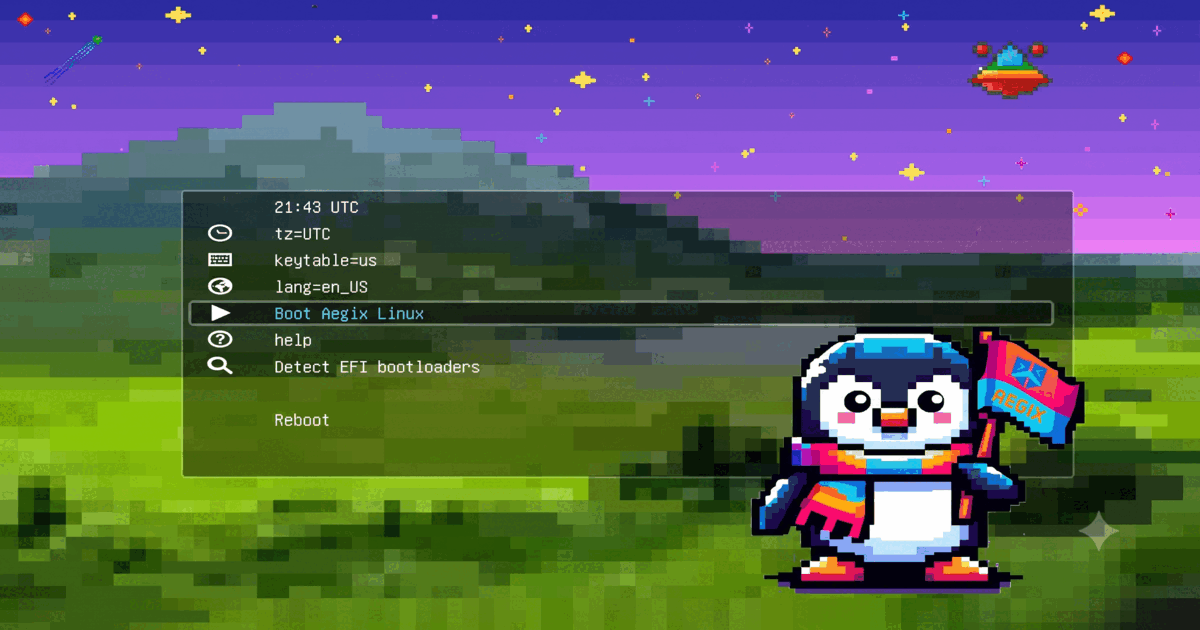
Nine years later, Aegix has an ISO you can download and install. It's hard to describe how unreasonably excited I am about this.
Not a solo project
Before I tell you what Aegix is, I need to correct the impression the first-person singular gives. Since 2023, Aegix has been a collaboration with Mason Borchard, and I want to say this as plainly as I can: without Mason, Aegix would not exist. Not "would be smaller," not "would have shipped later." Would not exist.
Mason is a core contributor to the project, and the ISO you can download today carries years of their work alongside mine. When I write "I" in the rest of this article, a great deal of it is really "we."
What it actually is
Aegix is an Artix Linux base with a suckless graphical environment on top:
- dwm, st, dmenu, and dwmblocks, compiled from source during the install, patched for Aegix
- runit as the init system, not systemd
- btrfs root with subvolumes, so snapshots and rollback are available from day one
- LUKS full-disk encryption, mandatory
- pipewire and wireplumber for audio, vim-style keys everywhere your fingers land
That fourth item deserves a sentence of its own. The installer does not ask whether you want encryption. There is no checkbox, no "skip for now." You provide a passphrase or you do not install. If that sounds unreasonable, this is not your distribution, and that is fine. A shield with an optional mode is a decoration.
Why I keep doing this
The honest answer is that I like living in a computer I understand.
A suckless desktop is small enough to read. dwm is a couple thousand lines of C. When I want the status bar to behave differently, I edit a config header and recompile, and it takes less time than finding the setting would have taken in a desktop environment. Nothing phones home. Nothing updates itself into a shape I did not ask for. When something breaks, the cause is findable, because there is not that much of it.
The other reason is that this stuff is evergreen. The X11 and suckless tools I set up years ago still work the same way today. Time spent learning them compounds instead of evaporating with the next major version.
What shipping an ISO changes
For most of its life, Aegix was an install script. You booted somebody else's ISO, connected to the network, ran curl -LO aegixlinux.org/install.sh, and hoped. That works, and I used it happily for years, but it is not a distribution. It is instructions.
An ISO is different in a way that is easy to underestimate. It is a claim. It says: this specific set of bytes produces this specific working system, and I will stand behind that. You can hand it to someone. You can dd it to a stick and walk it to a laptop that has never seen the internet. It either boots or it does not, and if it does not, that is my problem and not yours.
Every Aegix install now writes a file at /etc/aegix-release recording the exact ISO version and the commit of the profile that built it. If you file a bug, that file tells me precisely what you are running. No archaeology.
The part that surprises people
Here is the thing I find genuinely interesting about how this ISO gets made, and it is not how most distributions work.
Most distros are assembled. Someone writes a package list and a directory of default config files, builds an image, and hopes the result feels coherent. The defaults are guesses about a hypothetical user, and they rot, because nobody actually lives in them.
Aegix is captured instead. There is a real machine, the laptop I work on every day, and a pipeline that reads it and turns it into the ISO. When I improve my setup, the distribution inherits the improvement on the next sync. When I delete a script I stopped using, it leaves the ISO too. The desktop you install is the desktop I use, minus me.
That "minus me" is the hard part, and it is where most of the engineering went. Capturing a personal machine means capturing a lot of things that must never ship: usernames, hostnames, work infrastructure, private bookmarks. So every file gets a recorded decision, ship or never or hand-curated, and every sync runs a gate over the whole result that refuses to build if anything personal survives. There is no override flag. If the gate fires, the fix is to sanitize the file, exclude it, or teach the gate a new rule.
The gate earns its keep. Building this, it caught a compiled binary with my home directory baked into it. It caught a config file naming my monitors. That class of thing ships in hobby distributions all the time, usually without anyone noticing.
What actually broke
The unglamorous truth of the last few weeks is that the bugs that mattered were invisible on my machine and obvious on someone else's.
The application launcher did not open. Not once, on any fresh install. It looked like a missing file, then a stale binary, then a broken keybinding. It was none of those. The setup was assigning a locale for 24-hour clocks and never actually generating it, because the check that was supposed to generate it matched a commented-out line in the config and concluded the work was done. Every program on the system tolerated the missing locale except one, which called setlocale() strictly, failed, and exited instantly. On my machine the locale had been generated years ago, so it worked perfectly, forever.
Fresh users were also being created without membership in the video group, so changing screen brightness silently required root. My account had that group from an install long enough ago that I had forgotten it happened.
And an rsync pattern intended to skip one README at the top of the profile was matching at every depth, quietly dropping eight README files out of every ISO ever built, including the documentation for the file manager's plugins.
None of these were exotic. All of them survived because the machine that builds the distribution is the one place they cannot be seen. That is the argument for shipping an ISO in the first place, and for the audit tool that now compares any installed Aegix against what the image intended to deliver.
What I want from you
Install it on hardware Mason and I do not own and tell us what broke. That is the single most useful contribution to this project, and it needs nothing but a spare machine and a USB stick. There is an audit tool in the repo that will do the comparison and report in one pass; send us the output.
The other thing I would genuinely love is help with the documentation. The site at aegixlinux.org is a git repository, and the docs are plain markdown in it. If you install Aegix and something in the guide is wrong, unclear, or missing the step that actually tripped you up, that correction is worth more than any feature request, because you can see the gap and I cannot. Open a pull request. Fix a sentence. Add the page you wished existed while you were stuck.
Documentation written by the person who just struggled with something is always better than documentation written by the person who built it. I have been staring at this system for nine years. I have lost the ability to see which parts are confusing.
The shield
The tank analogy was fun, and it got the ruggedness right. What it missed is that the reason to run an overbuilt, unfashionable, fully-inspectable computer is not to go conquer anything. It is so that the machine you depend on every day belongs to you: encrypted by default, free of things phoning home, small enough that a curious person can read it end to end and know what it does.
Nine years, one rename, and an ISO. Go boot it.
aegixlinux.org
Timothy